Great Expectations Walkthrough
How to work with Great Expectations
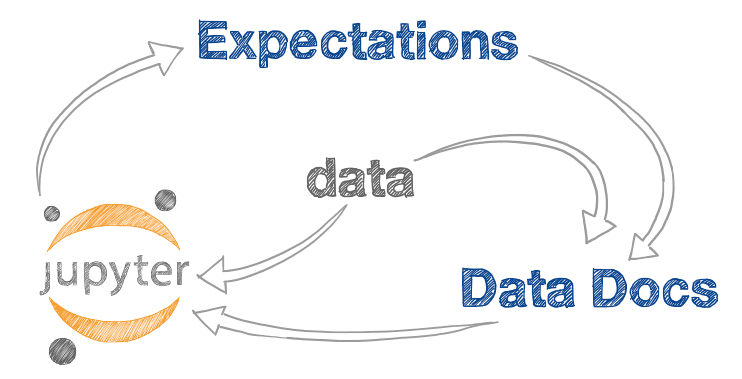
Welcome! Now that you have initialized your project, the best way to work with Great Expectations is in this iterative dev loop:
- Let Great Expectations create a simple first draft suite, by running
great_expectations suite new. - View the suite here in Data Docs.
- Edit the suite in a Jupyter notebook by running
great_expectations suite edit - Repeat Steps 2-3 until you are happy with your suite.
- Commit this suite to your source control repository.
What are Expectations?
- expect_column_to_exist
- expect_table_row_count_to_be_between
- expect_column_values_to_be_unique
- expect_column_values_to_not_be_null
- expect_column_values_to_be_between
- expect_column_values_to_match_regex
- expect_column_mean_to_be_between
- expect_column_kl_divergence_to_be_less_than
- ... and many more
An expectation is a falsifiable, verifiable statement about data.
Expectations provide a language to talk about data characteristics and data quality - humans to humans, humans to machines and machines to machines.
Expectations are both data tests and docs!
Expectations can be presented in a machine-friendly JSON
{
"expectation_type": "expect_column_values_to_not_be_null",
"kwargs": {
"column": "user_id"
}
}
A machine can test if a dataset conforms to the expectation.
Validation produces a validation result object
{
"success": false,
"result": {
"element_count": 253405,
"unexpected_count": 7602,
"unexpected_percent": 2.999
},
"expectation_config": {
"expectation_type": "expect_column_values_to_not_be_null",
"kwargs": {
"column": "user_id"
}
}
Here's an example Validation Result (not from your data) in JSON format. This object has rich context about the test failure.
Validation results save you time.
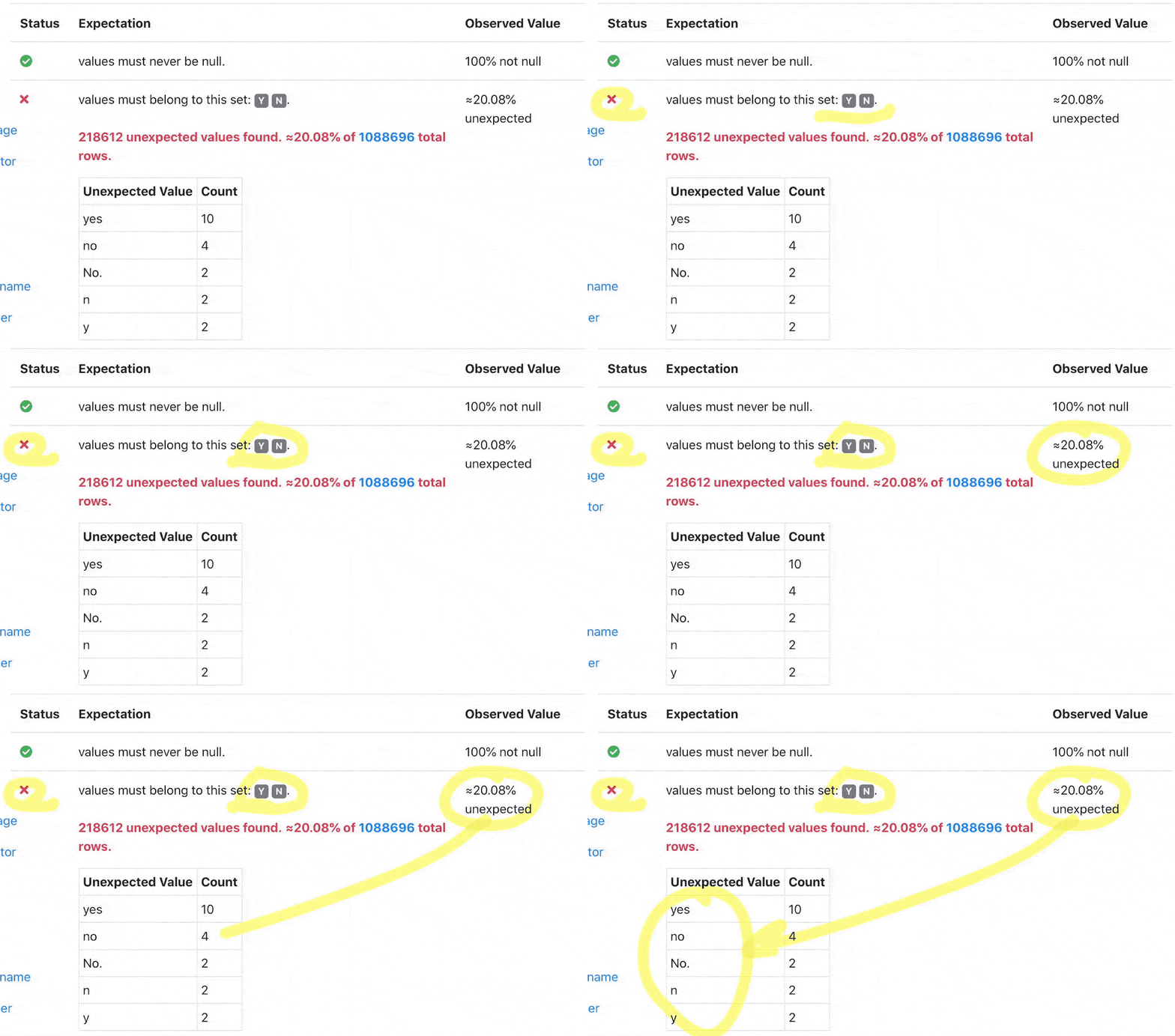
This is an example of what a single failed Expectation looks like in Data Docs. Note the failure includes unexpected values from your data. This helps you debug pipelines faster.
Great Expectations provides a large library of expectations.
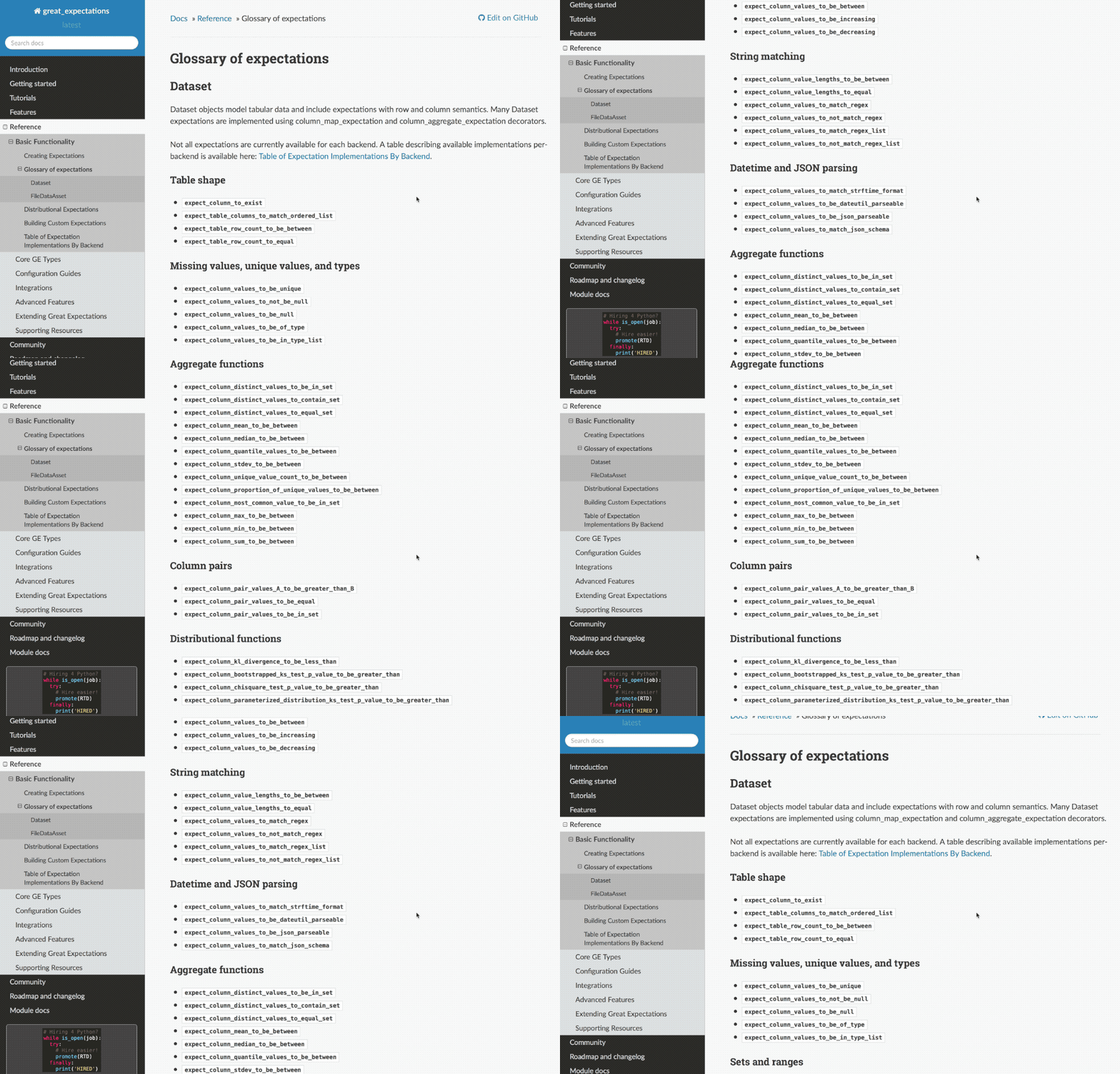
Nearly 50 built in expectations allow you to express how you understand your data, and you can add custom expectations if you need a new one.
Now explore and edit the sample suite!
This sample suite shows you a few examples of expectations.
This Expectation Suite may not be a complete assessment of the quality of your data. You should review and edit the Expectations based on domain knowledge.
When you are ready, press the How to Edit button to kick off the iterative dev loop.